OpenSCAD and I have what you might politely call a love-hate relationship. On paper, the idea sounds slightly unhinged: why would anyone program a 3D model when FreeCAD is right there, ready to let you draw it like a civilised person?
The answer turns out to be refreshingly simple: parameters.
Now, to be fair, FreeCAD is a parametric modeller. I can work with
spreadsheets and property sets, and I do. But every time I want to change
a single value, I have to sit down in front of a full-blown CAD application,
wait for it to load, find the right workbench, find the right sketch, and
then remember which constraint I named Length001 three months ago and why. More on my naming scheme for FreeCAD in a future blog post (maybe). All of that just to make something two millimetres wider - just for a variable item that is entirely commodity? And trust me, there is the lazy moment and then a variable is exactly that: Length. Oh, which length btw?
In OpenSCAD, I open a text file. I change a number. Or, even lazier, I don’t open anything at all and just pass the value as a command line switch. A few seconds later there is a finished STL waiting for my 3D printer. No workbenches, no clicking, no archaeology.
The “header” in my OpenSCAD files
// ==== Parameters ====
outlet_id = 10;    // Inner diameter at the bottom (outlet bore), max. 12.5 mm
wall      = 1.2;   // Wall thickness (radial), min. 1 mm required -> 1.2 mm for safety margin
spout_h   = 10;    // Length of the SHORT side of the spout, 10-20 mm allowed
bevel_len = 8;     // Extra length of the LONG side -> amount of one-sided bevel (0 = straight cut)
open_id   = 50;    // Inner diameter at the top (opening)
cone_h    = 25;    // Height of the flaring cone section
$fn       = 120;   // Curve resolution (number of facets)
You can change them here - or, overwrite them via commandline when you want to create a STL file. This overwrites the parameters inside the file and use the values provided. If you don’t provide a value, it will take the one from the source file - handy.
The click in the head
It didn’t make sense to me straight away. For quite a while OpenSCAD felt like trying to describe a teacup to someone over the phone. Then, at some point, something clicked: I started thinking about my models as code. A funnel stopped being “a cone thing with a tube on it” and became “the difference between two cylinders, plus another two cylinders, with a wall thickness variable”. And suddenly OpenSCAD became very, very logical.
That doesn’t mean I’ve converted completely. For complex parts I still happily reach for FreeCAD. But for the small stuff, a funnel, a little cup, a spacer, that kind of thing, OpenSCAD has become my go-to tool.
Mostly living on the command line
Funnily enough, I barely see the OpenSCAD user interface these days. I only open it when I start a new object from absolute zero. That’s where the live preview is genuinely handy: type a line, hit F5, see whether you just built the thing you wanted or an abstract sculpture.
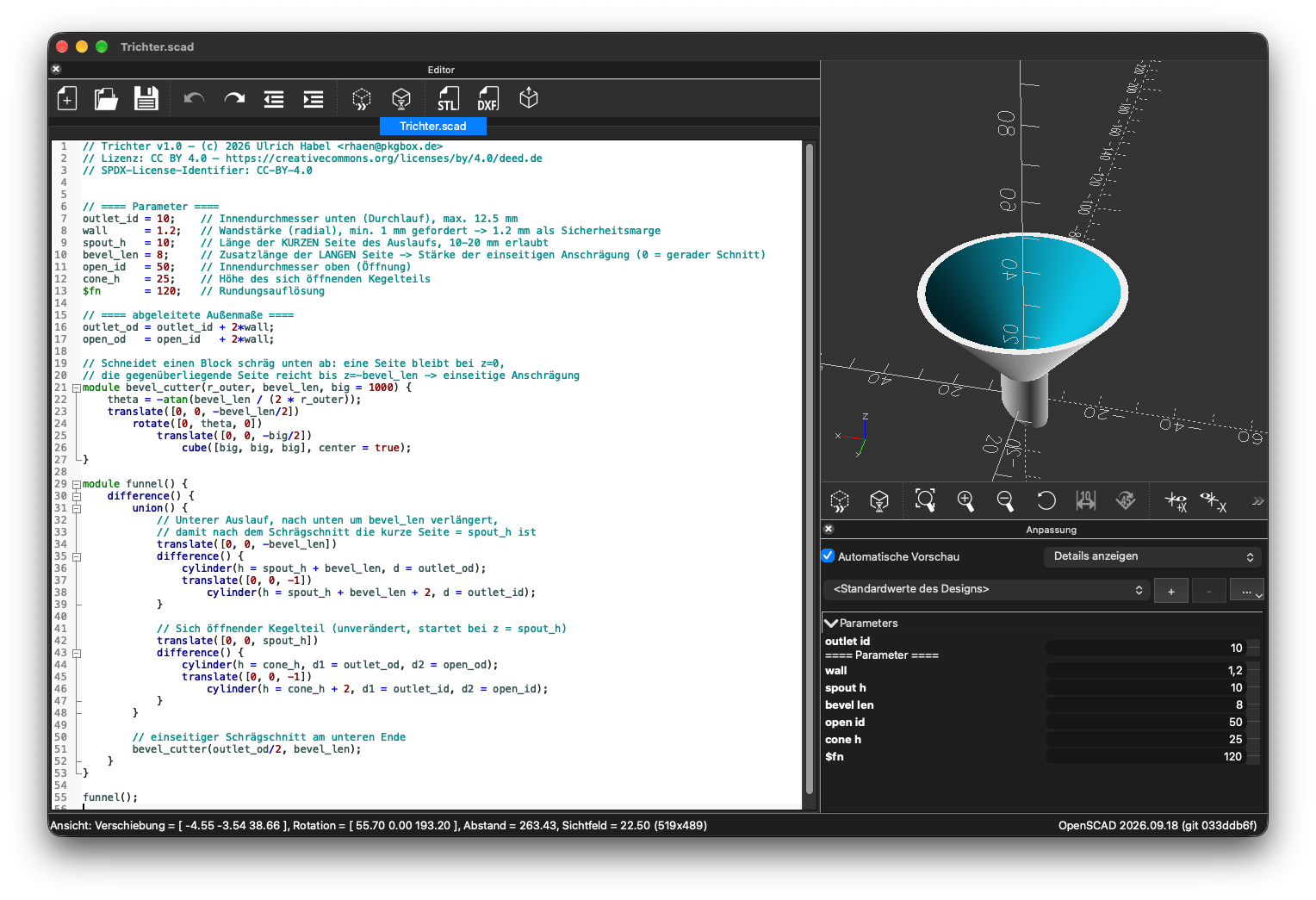
For everything else, the command line is enough. A quick look at the variables at the top of the file, override whatever needs changing, and render. The funnel is a good example of this, as you can see in the screenshot.
openscad -o trichter.stl \
  -D 'outlet_id=12' \
  -D 'wall=1.6' \
  -D 'spout_h=15' \
  -D 'cone_h=30' \
  -D '$fn=200' \
  trichter.scad
Bonus: it’s just text
One more benefit I didn’t appreciate at first: OpenSCAD files are plain text.
That means they version beautifully. Every change ends up as a readable diff
in git, and I can actually see that I made the funnel spout 2mm longer last
Tuesday, instead of staring at two binary files called funnel_final.FCStd
and funnel_final_v2_really.FCStd.
So yes, still a love-hate relationship. But these days, mostly love.
P.S.: I know there is a History workbench in FreeCAD these days. I get the point, but need to spend more time on this.
