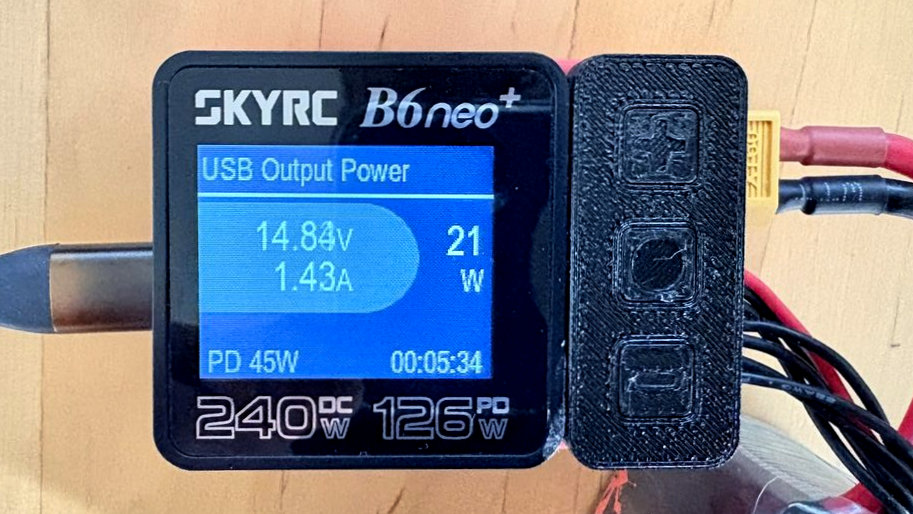
If someone walks up to you and says: “I’ve found the charger that solves all your problems” — turn around, walk away, and don’t look back. Everyone has different requirements. Different batteries, different cells, different charging speeds, different levels of patience at the flying field. There’s no universal answer to that. What I can tell you, however, is that I stumbled across something that covers a surprisingly wide range of those requirements — and it fits in the palm of your hand.
That something is, again, the SkyRC B6neo+.
Now, I’ve already written about how 10g of superglue, a pipe wrench, and a 3D printer kept this little device alive. So clearly I have a certain attachment to it. But there’s a side of this charger that rarely gets mentioned — even by the RC community — and honestly, I think it deserves a proper spotlight.
USB-C is not just USB-C anymore
The SkyRC B6neo+ has a USB-C port that can be used as its power input. And before you roll your eyes and say “oh great, 5V charging” — stop right there. The days of USB being a polite 5V trickle are long gone. The B6neo+ supports Power Delivery, which means the charger and the power supply negotiate the voltage between them. That’s the exact same technology your modern smartphone uses to charge at eye-watering speeds.
In practice? You can grab an old 60W laptop brick, plug it into the B6neo+ via USB-C, and charge your 6S LiPo batteries without any drama. If you want to go full send, PD 3.1-capable supplies can push up to 126W — but that requires a 140W supply, full PD 3.1 support, and the right cable. For my modest fleet of gliders and motor gliders — a Multiplex Easy Glider running a 3S 2200mAh pack, a Laubfrosch with 1100mAh, a Hobbyarena Chilli sipping on 450mAh — an old 60W laptop supply is absolutely fine, especially when I keep charging current at a civilised 2C or below.
The part that made me raise an eyebrow
Here’s where it gets interesting. When you return from the flying field with full batteries — because the thermals were too good, or you got distracted chatting, or the session ran short — you’ve got a problem. LiPo batteries shouldn’t be stored fully charged. You need to bring them down to storage voltage. And the conventional way to do that is to let the charger discharge them… straight into a resistor… as heat. Utterly pointless.
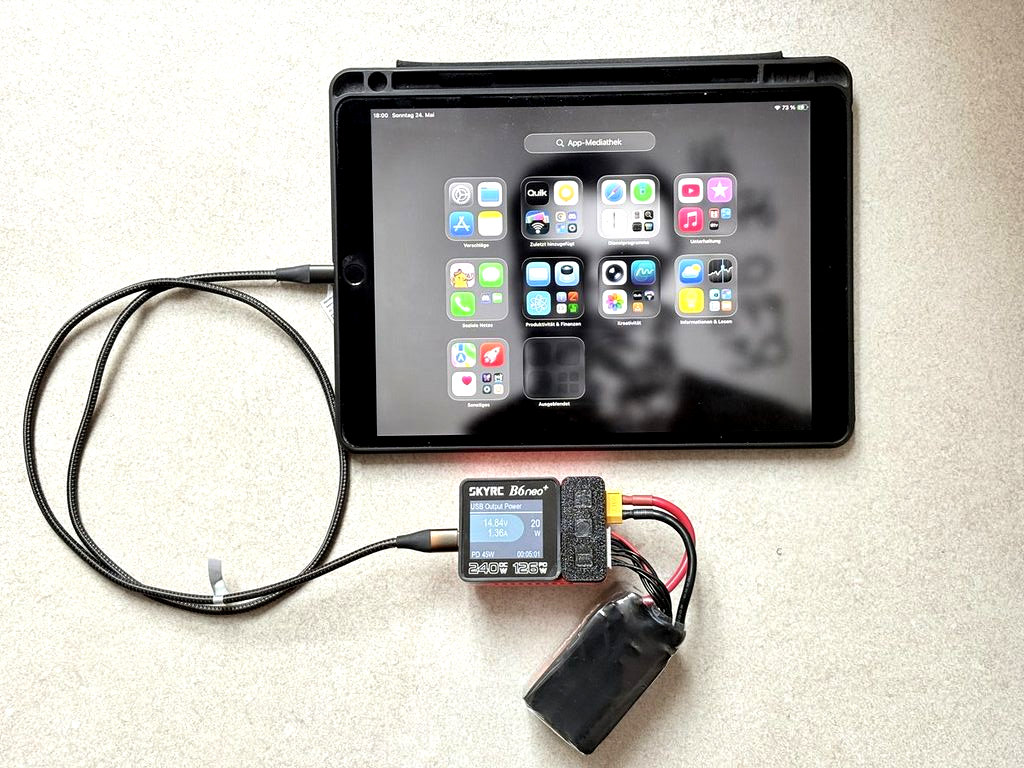
The B6neo+ has a feature called Reverse Charge. In this mode, you connect the LiPo to the output port of the charger — balancer cable included, since that’s how it monitors cell voltages for the cut-off — start the Reverse Charge programme, and then plug a Power Delivery-capable device into the USB-C port. The charger then pushes the energy from the LiPo into your device. MacBook, iPhone, iPad — whatever speaks PD, it’ll take the charge.
The result: your battery discharges, your device charges, and nothing gets converted to waste heat unnecessarily. A 6S 1300mAh drone battery that would normally take an hour to drain via a resistor is done in minutes. The efficiency depends on the voltage negotiated between the two devices — higher voltage agreement means faster transfer — but even in less-than-ideal conditions, this is dramatically quicker than conventional discharging.
There is one small catch worth mentioning: in PD Discharge mode, you define a cut-off voltage per cell (a Condition — for example, 3.4V). You don’t get an automatic “stop at storage voltage” target in the way a conventional discharge cycle works. So if you want to land precisely at storage voltage, you need to keep half an eye on it and stop the process at the right moment. In practice, after a few sessions you get a feel for the timing, and it’s a very acceptable trade-off for what you gain.
Why this matters
The B6neo+ essentially folds a separate discharger into the same device — and turns the discharging process from a heat-generating waiting game into something that actually does useful work. Combined with the ability to run the whole thing from a laptop power brick, this is a remarkably capable package for its size and price.
I bought this charger with my own money. I receive no sponsorship, no affiliate fees, nothing. What I do receive is mild frustration every time I watch a prominent RC YouTuber dismiss this device without taking its feature set seriously. Perhaps they were looking for something flashier, or perhaps they simply never tried plugging an iPad into the discharge port.
Their loss. My iPad, on the other hand, is very happy.
Oh, and yes — I’ve also tested charging a motorcycle battery via USB-C. It works. It just takes a while. Some experiments are worth doing purely for the story.
