The fiddly threading of the aileron Y-cable on the Sky Surfer X8 gets old fast. Self-designed and 3D-printed cable holders solve this problem simply and permanently.
I fly my Sky Surfer X8 with great enthusiasm – simply because it was cheap, I can repair and learn a lot from it, and it’s an all-round fantastic package. If something breaks → glue it. Got a crazy idea → try it. Even a total write-off from a crash that completely destroys the model would be absolutely manageable. If you can still salvage the servos, motor, receiver and ESC, there’s not much standing in the way of the next Sky Surfer.
Of course, you also have to look at the downsides. One of them is the awkward threading of the aileron connections to the receiver. By default, the Sky Surfer comes with a Y-cable that you have to somehow thread through the fuselage every time you want to separate the wings. The “fishing in the dark” with a small metal hook (basically a piece of wire) also gets old pretty quickly.
Initially I had the ailerons on two separate channels because I wanted to experiment a bit – with flaperons or spoilerons, just to have tried it. Ultimately though, such tweaks only marginally improve the flying characteristics. Turns become slightly smoother with aileron differential and feel less “snapped around a corner”, and ailerons deflected upward push the aircraft down slightly. Especially in tight spaces, this gives you a bit more precision in placing the Sky Surfer exactly where you want it.
Still, at some point I have to ask myself whether any of this is really necessary. Let’s be honest: this aircraft isn’t designed to fly particularly perfectly – it’s designed to fly particularly easily.
As part of various modifications, I therefore reverted my Sky Surfer back to stock and now use the supplied Y-cable on a single channel of my ELRS receiver, just as intended.
On my Multiplex EasyGlider, I noticed that the aileron connectors from the wings simply plug into small boxes on the fuselage. No special proprietary connector – just a servo extension poking out of the fuselage where the aileron servo connectors plug in. They dangle around a bit, but that doesn’t seem to affect the EasyGlider’s excellent flying characteristics one bit.
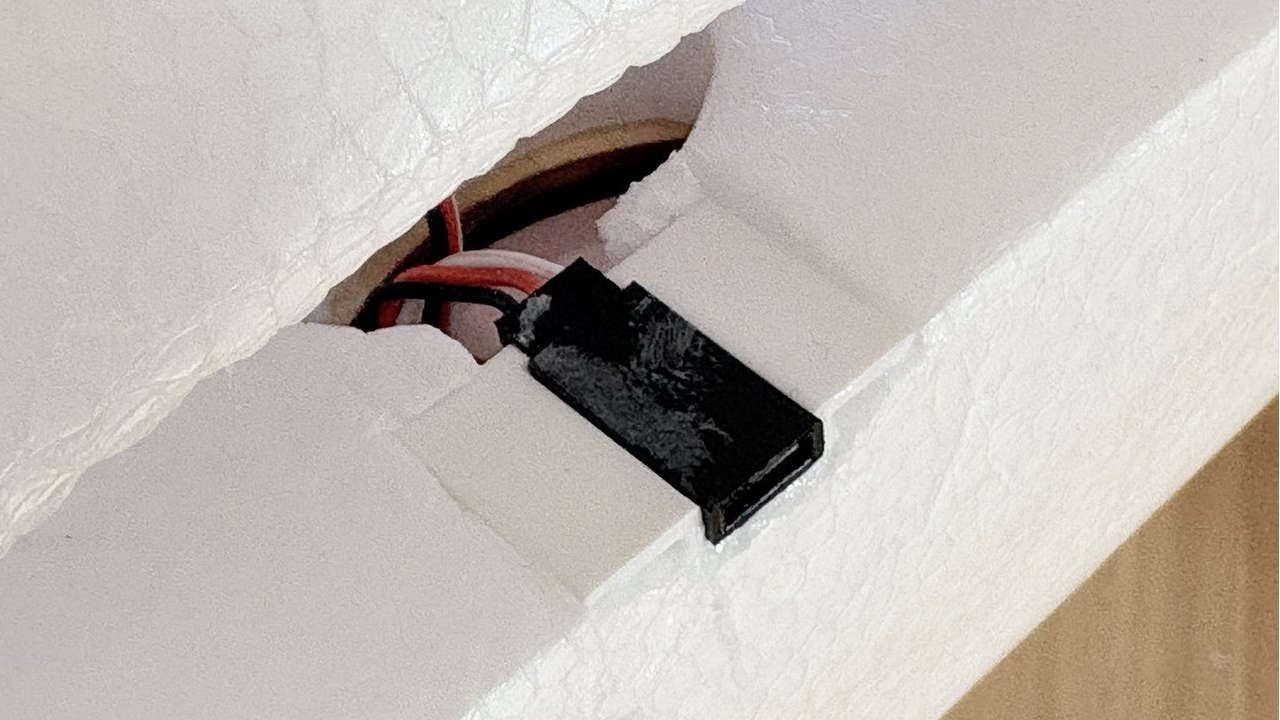
I found this solution as clever as it was simple, and decided to design FreeCAD-style cable holders for servo connectors that can be printed on a 3D printer. That’s exactly what I did – and it works really well. The excess aileron cable disappears into the wing; I simply tucked it neatly into the existing cable channel.
You can download the model files directly here. I have attached both the FreeCAD source file and the STL and STEP files below.
